ERP for service delivery, SLA tracking, and execution

Run requests, interventions, team capacity, and billing in one operational workflow.

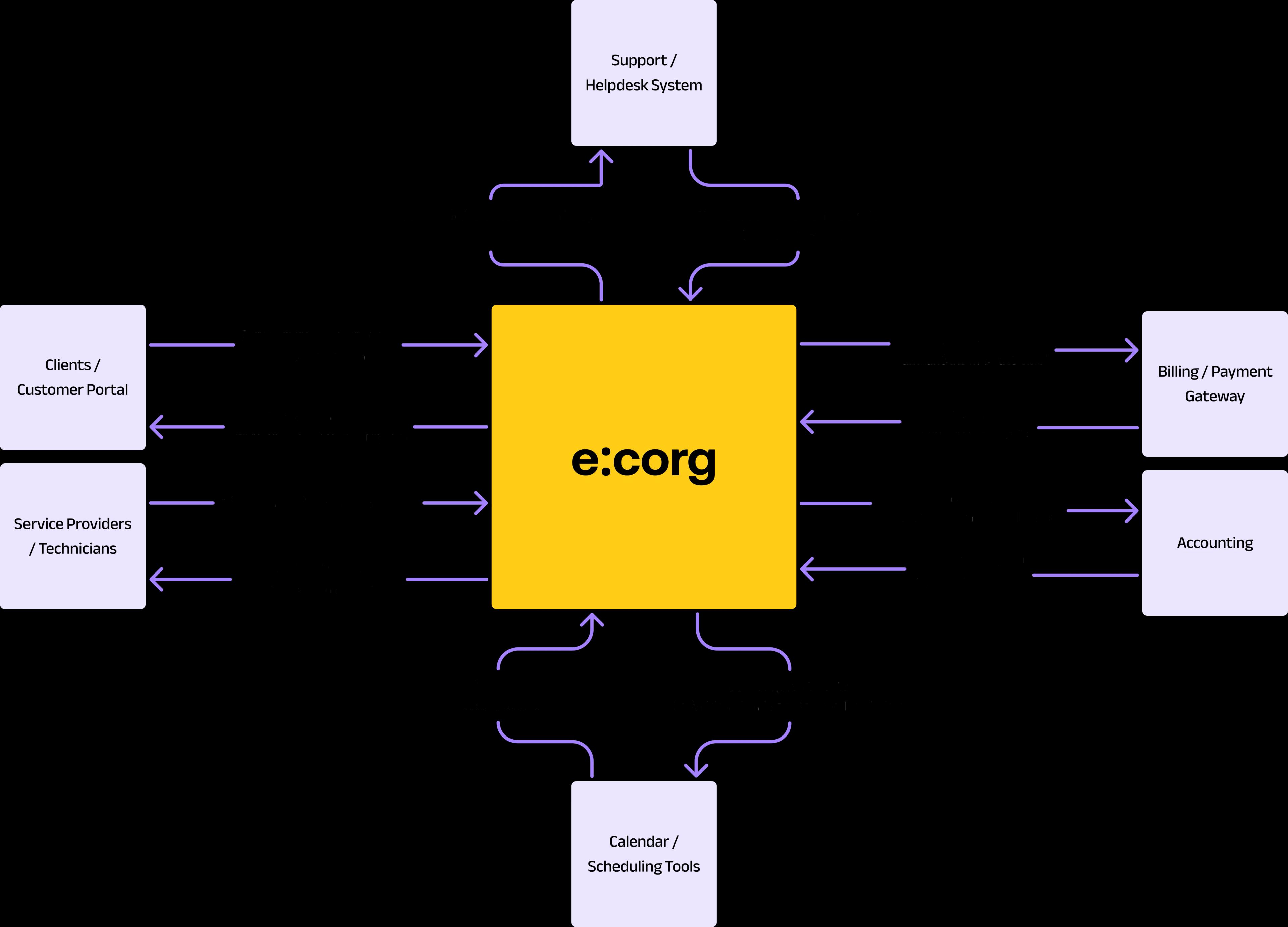
How e:corg works for Service e:corg connects service requests, operational teams, and financial processes into a single, unified flow — from the customer request to resolution, billing, and analysis.

FOR SERVICE TEAMS

For service teams that need requests, execution, SLA visibility, and billing control to run from one operating view.

Who this page helps

  • Service businesses coordinating requests, owners, deadlines, and delivery status across teams.
  • Managers who need better visibility into SLA, team workload, escalations, and billing impact.
  • Organizations that want one clear flow from request to execution and financial outcome.

Signals that service operations have outgrown disconnected tools

  • Requests come from multiple places and there is no single path from intake to resolution.
  • SLA, workload, and execution status are tracked separately from cost and billing.
  • Clients get answers too late because intervention status is not visible clearly enough in real time.
ROMANIA CONTEXT

What service teams in Romania need from ERP

For Romanian service teams, ticketing alone is not enough. They need traceability across request, owner, time spent, service outcome, and the commercial or financial document that follows.

  • Requests, interventions, and statuses tracked in one operational flow.
  • Better visibility into SLA, escalations, and team capacity before service quality drops.
  • A clearer link between execution, cost, and billing without manual follow-up between systems.
WORKFLOW

How service teams work inside one platform

  1. 1

    Receive and prioritize

    Every request enters with an owner, priority, and due time instead of being lost across inboxes and chats.

  2. 2

    Execute and monitor

    Managers see progress, time spent, and escalation risk early enough to act before issues spread.

  3. 3

    Close and bill

    The operational outcome flows more cleanly into the commercial or financial document that follows.

SERVICE OPERATIONS

In service, the real proof is operational transparency from request to billing

When requests, execution, SLA visibility, and billing are tied together in one ERP, teams respond faster, track ownership more clearly, and reduce the friction that usually builds up between operations and finance.

Want to see how service delivery connects to execution and billing?

Request a service demo to review request handling, SLA visibility, execution flow, and billing coordination with your team. Or start with e:corg customer stories to compare real implementation scenarios first.

Browse e:corg case studies
service

Service and support — fully under control

From complaints to analysis, e:corg centralizes after-sales service in a single system. It links service requests to the original sales, tracks SLAs and team workload, automates returns and repairs, and provides full visibility into costs and customer satisfaction.
Video preview

Clear customer interaction

Centralize all service requests into a single flow — from the portal, email, or phone. Maintain a complete history of requests, interventions, and communications, directly linked to the customer and the original sale.
Learn More

Service billing and financial control

Automatically invoice performed services, parts, and interventions. Track receivables, payments, and service profitability with no manual entry and no revenue leakage.

Real-time visibility and reporting

You have a clear view of request volumes, SLA compliance, team workload, and costs. Quickly identify recurring issues and areas that generate losses.

Scalability for service teams

The system grows together with your business — from a small service team to complex operations with multiple locations and high request volumes.

Data security and control

Customer data, service requests, and financial information are protected through advanced security measures, with role-based access control and continuous monitoring.

Five simple steps to integration

1

Analysis and Planning:

Assess current business processes and identify needs.

2

Configuration and Customization:

Customize the system to meet specific business requirements.

3

Integration with Other Systems:

Connect e:corg with ERP, CRM, and other IT
systems.

4

Testing and Staff Training:

Test the system for errors and train users.

5

Launch and Ongoing Support:

Officially launch the system and provide technical support.

Contact us

Dog